
Offline Complaint & Case Management for Windows
Manage return, complaint and customer service cases in one local Windows app — without cloud accounts, tracking or monthly subscriptions.
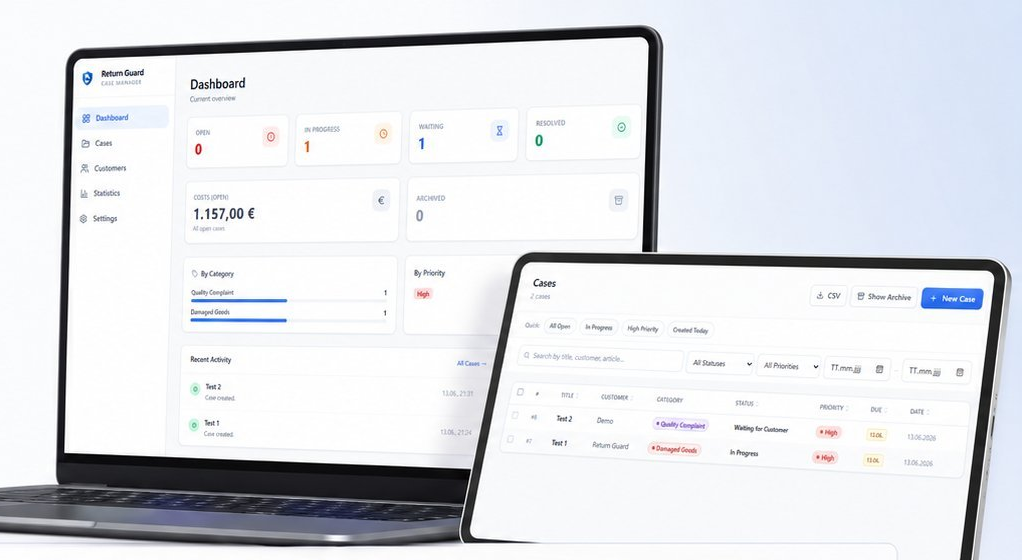
Complaints deserve more than a spreadsheet
Return Guard is designed for small businesses — retailers, workshops, spare parts dealers, tradespeople and small teams who manage complaints, returns or service cases as part of their day-to-day operations. If you currently track cases in Excel, email threads or paper notes, Return Guard brings everything into one structured local application.
Without Return Guard
- Cases live in email inboxes, spreadsheets and notes
- No shared view of open cases for the team
- Follow-ups and deadlines are easy to miss
- No central history per customer or article
With Return Guard
- Every case has a status, priority and category
- Your whole team sees the same local database
- Due dates and follow-ups are tracked automatically
- Full case and risk history per customer
Everything a small team needs to handle cases
Return Guard covers the day-to-day workflow of a small complaints or returns desk — from the first entry to the final report.
Case management
Create, edit, archive and track complaint and return cases with status, priority, category and due dates.
Customer database
Every customer keeps a history of cases, costs and a risk overview — searchable in one place.
PDF reports
Export a case report or a statistics report as a clean, business-ready PDF — in German or English.
CSV import & export
Export filtered case lists or import cases from CSV files — compatible with Excel.
Local backups
Daily automatic backups plus manual backups, with a safety copy and restore before any data is overwritten.
Offline email text generator
Generate ready-to-use email texts for customers and copy them to the clipboard — no mail server involved.
Attachments per case
Attach photos, PDFs and other documents directly to a case so everything stays in one place.
Small team network mode
Point Return Guard to a shared database file on your office network so a small team works from the same data.
SLA rules & escalation
Define how many days a case may stay open before it is flagged, so nothing slips through unnoticed.
Article database & barcode support
Keep a list of known articles with autocomplete, and add cases faster with a USB barcode scanner.
A clear, structured view of every case
A look at the interface — running locally on Windows, in German or English.
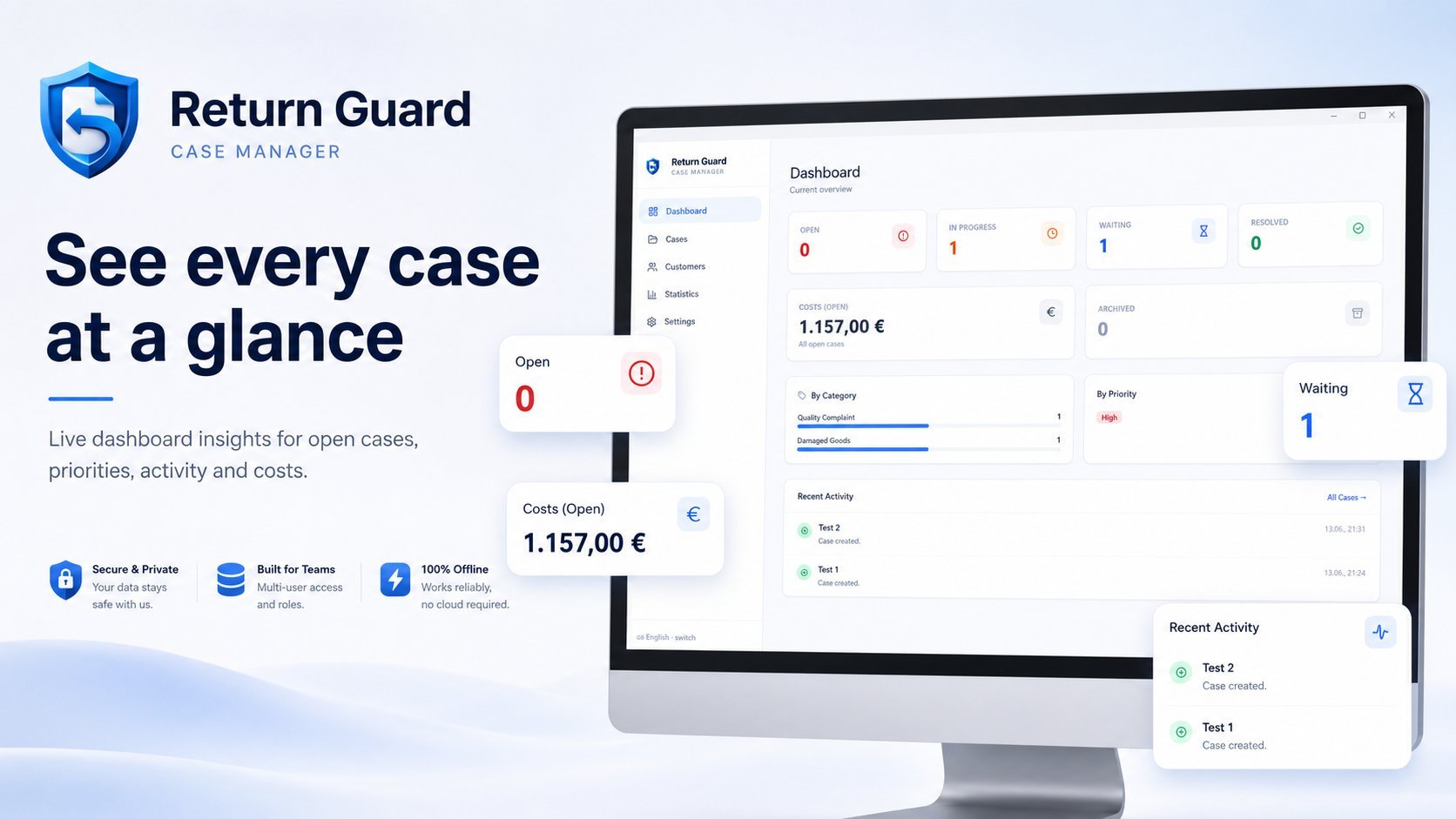
See every case at a glance
The dashboard gives an immediate overview of open, in-progress, waiting and resolved cases, open costs, categories and priorities — updated live as your team works.
- Live counts by status and priority
- Open costs and recent activity
- Breakdown by category
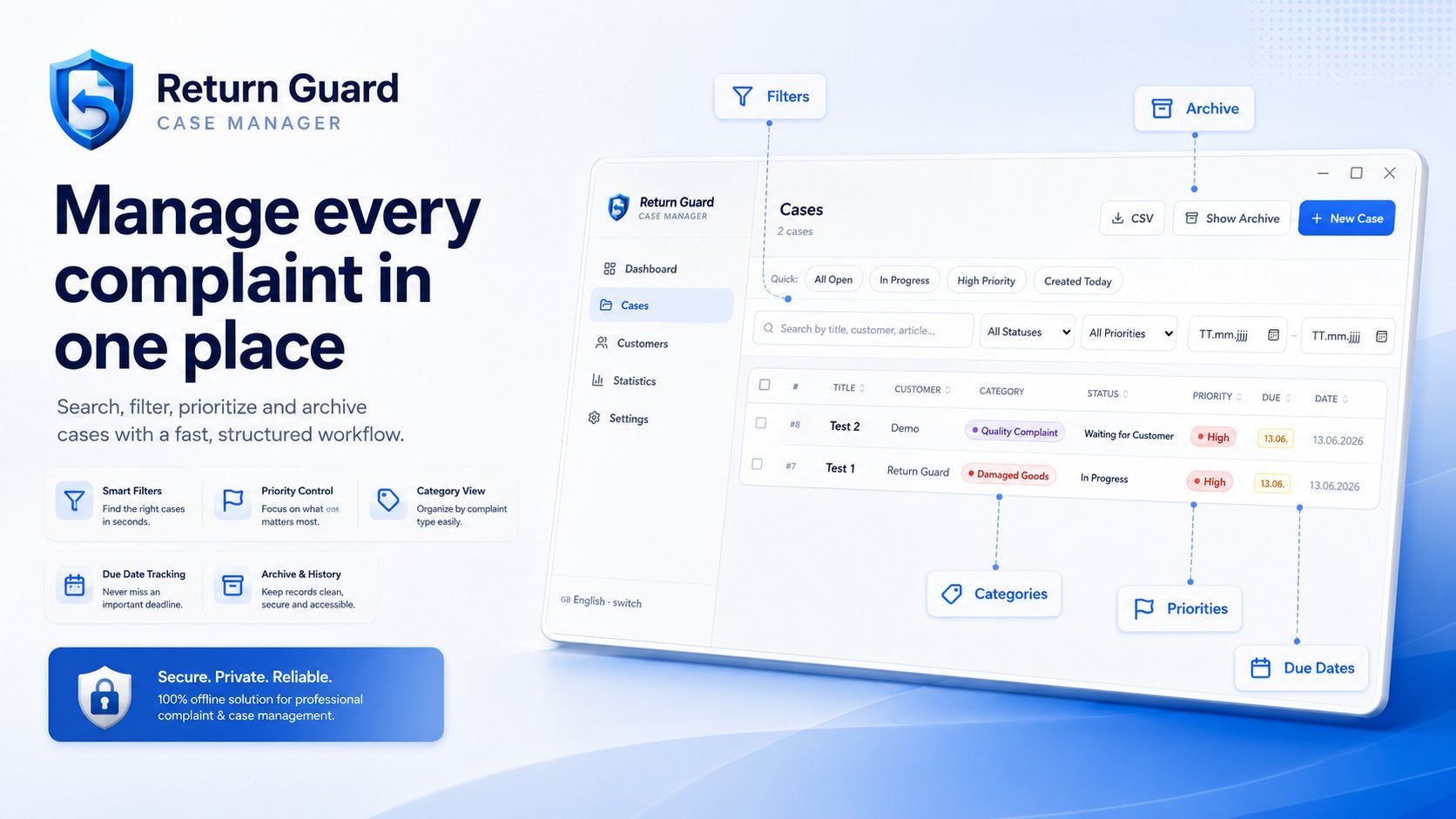
Manage every complaint in one place
Search, filter and sort all cases by status, priority, category, customer or due date. Archive resolved cases while keeping their full history accessible.
- Quick filters for open, in progress and high priority
- Custom categories for your business
- Archive resolved cases while keeping the full history accessible
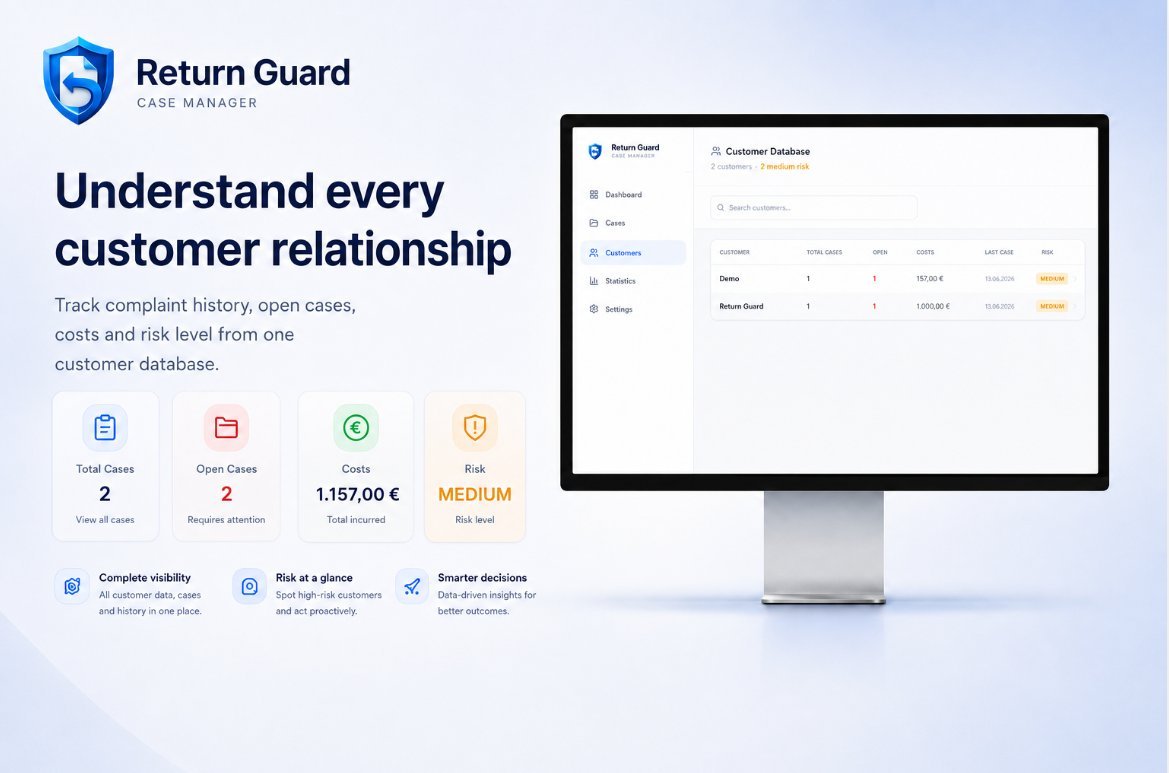
Understand every customer relationship
See total cases, open cases, accumulated costs and a risk level for each customer — built from the case history Return Guard already tracks for you.
- Complaint history per customer
- Risk rating based on case activity
- Searchable customer list
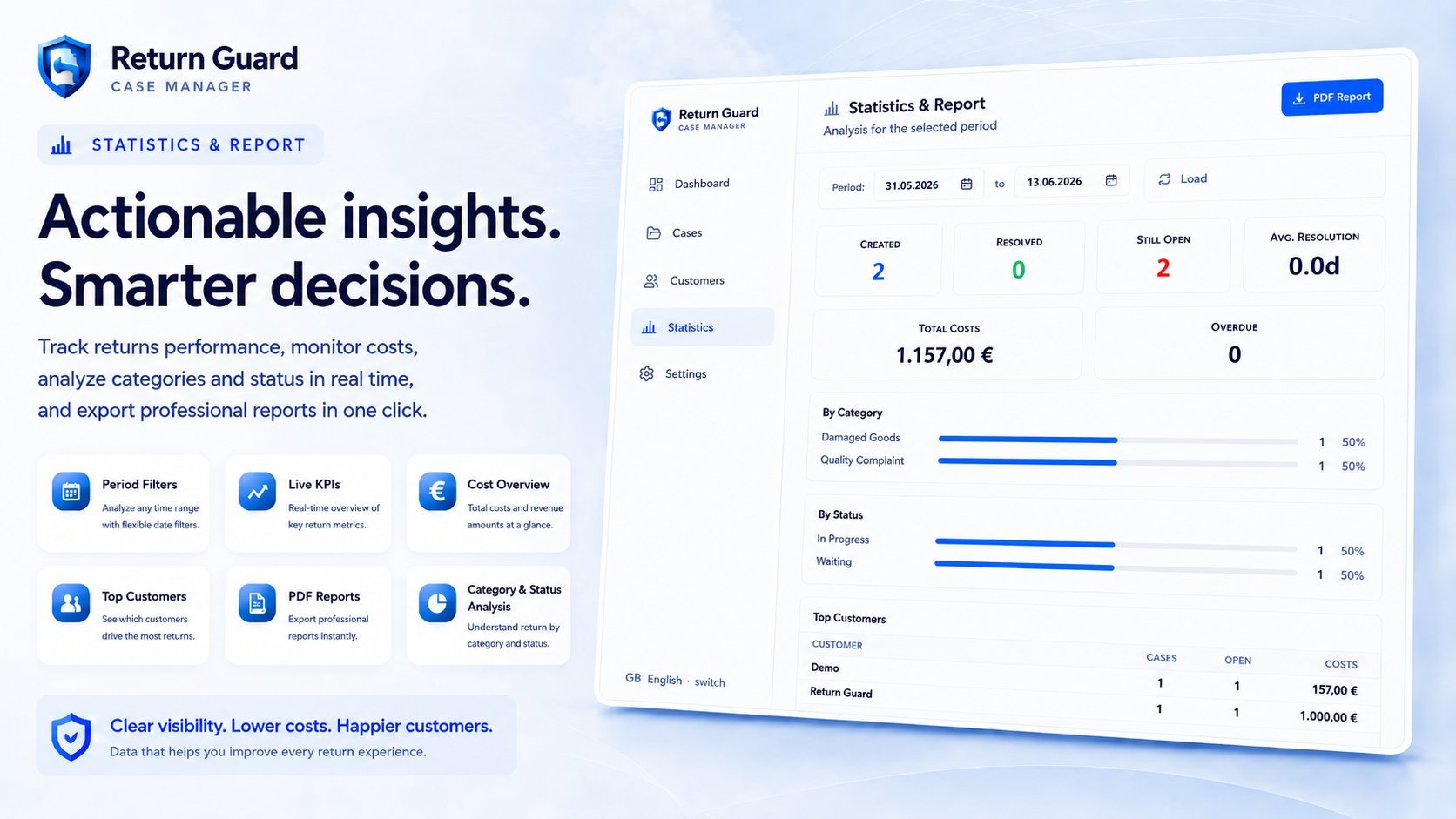
Track costs, workload and open cases
Pick a date range and Return Guard shows created and resolved cases, average resolution time, total costs, overdue cases, and a breakdown by category, status and top customers.
- Flexible date range filters
- Costs, resolution time and overdue cases
- One-click export as PDF
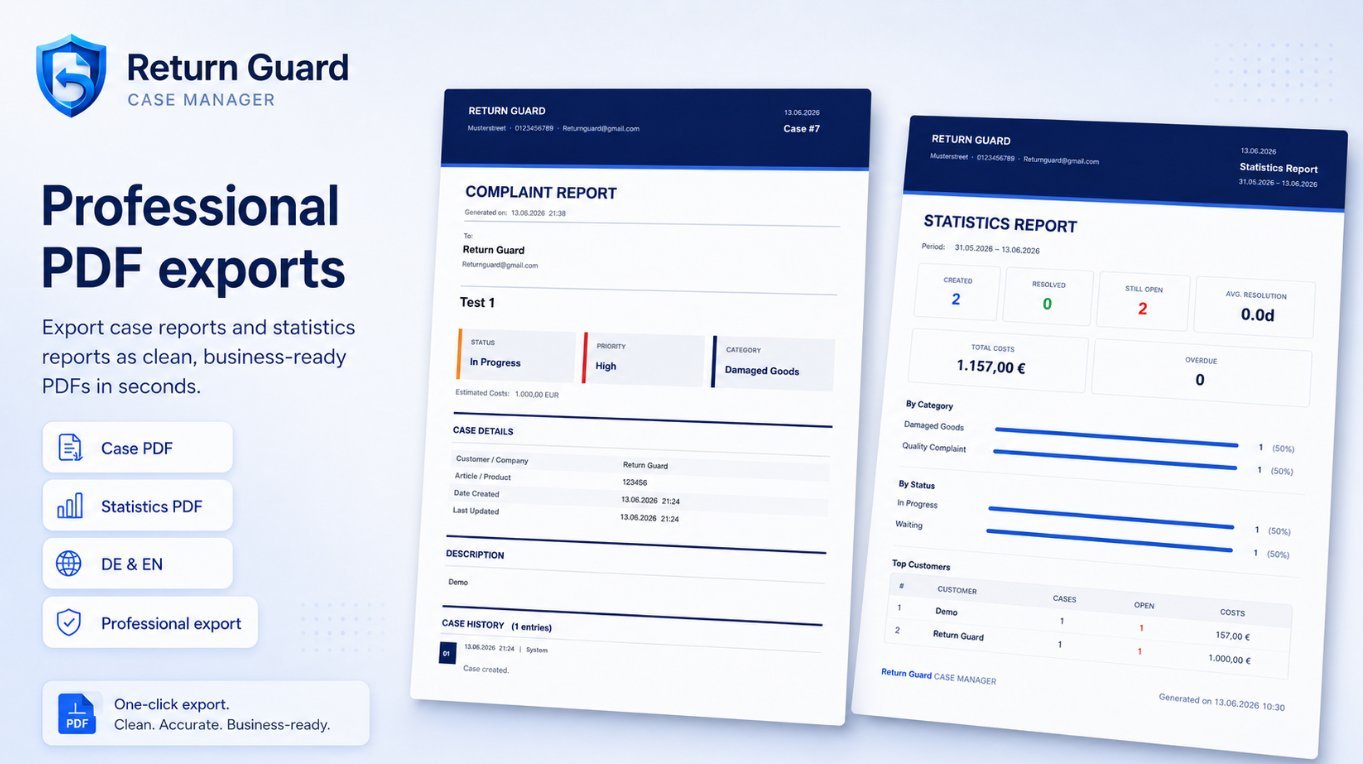
Export professional reports
Turn any case or any statistics period into a clean, business-ready PDF — for your own records or to send to a customer or supplier, in German or English.
- Case PDF with full details and history
- Statistics PDF for any date range
- German and English layouts
Your data stays local
Return Guard stores your data on your Windows device or in a selected network folder. No cloud account, no tracking and no automatic data transfer to the developer. A short internet connection is only required once, to activate your license key.
No cloud account
Nothing to sign up for. Return Guard runs as a regular Windows application.
No tracking
No analytics, telemetry or usage tracking is built into the application.
No external APIs for normal use
Day-to-day work — cases, customers, reports, backups — does not call any external service.
Local database
All case and customer data is stored in a local database file on your device.
Local or network folder storage
Choose a folder on your PC, or a shared folder on your office network for small teams.
One-time online license activation
A short internet connection is used once to activate your license key. After that, Return Guard works offline.
Try Return Guard before you buy
Download the Windows installer, start Return Guard and test the app for 24 hours. No cloud account is required. After the trial period, you can unlock the app with a Lemon Squeezy license key.
Download the free trial
Install and start Return Guard
Test all features for 24 hours
Buy a license for €89.99 when you are ready
Activate once online, then keep working offline
One license. No subscription.
A single payment covers the full version of Return Guard for one Windows installation, for as long as you use it.
Return Guard License
One-time payment · Lifetime single-seat license
- Lifetime single-seat license
- One activation
- Windows desktop app
- German & English interface
- Case management
- Customer database
- PDF reports
- CSV import/export
- Backup & restore
- Local data storage
- Optional network mode for small teams
Secure checkout by Lemon Squeezy
You can download and test Return Guard for 24 hours before buying a license.
About the Windows SmartScreen notice
Because Return Guard is a new Windows desktop app, Windows SmartScreen may show a warning on first launch. If you downloaded Return Guard from the official website, click “More info” → “Run anyway”. This can happen with new Windows software that has not yet built up download reputation.
Frequently asked questions
Start with a free 24-hour trial
Download Return Guard, test it locally on Windows and buy a lifetime license when you are ready.
24-hour trial · €89.99 lifetime license · One-time online activation